A landing page is copied for a new campaign. The headline, image, and visible fields are updated, but a hidden value still identifies the previous campaign. The form accepts submissions and the confirmation page works, so a visual review passes. Later, the CRM report attributes the new inquiries to the wrong activity.
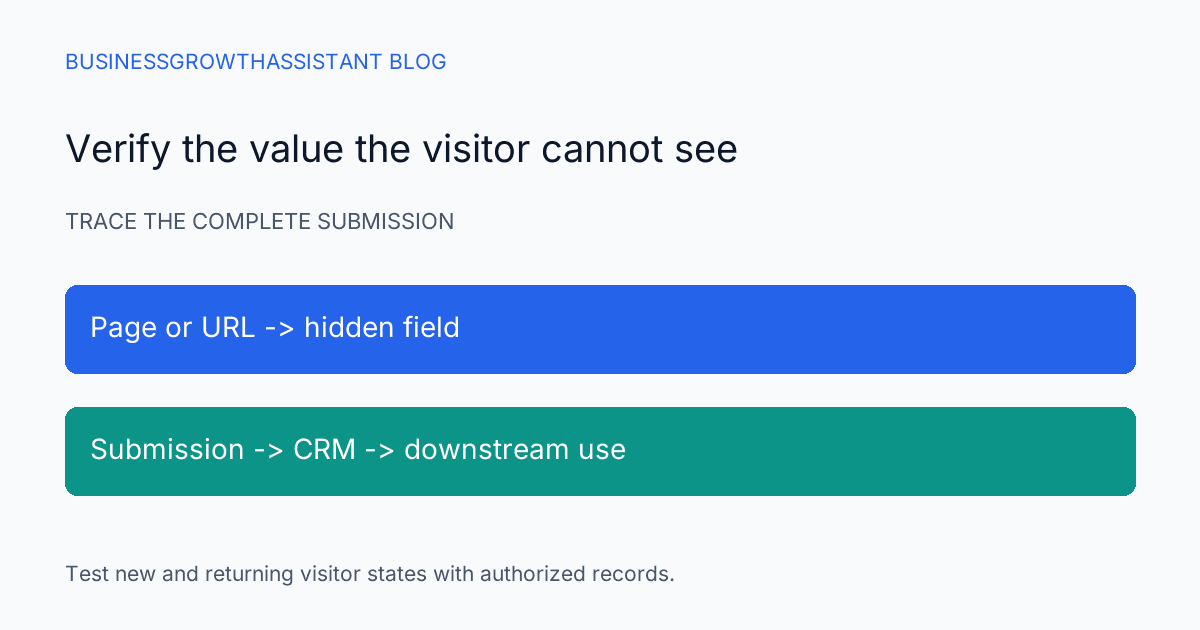
Hidden fields need their own test because the visitor cannot inspect or correct them through the visible form. The assistant should trace each value from the page or URL to the submitted property and then to the record used by reporting or routing. A successful submission is only the start of that verification.
Inventory the values the visitor cannot see
List the hidden fields, their CRM properties, intended values, and the source of each value. A field may use a fixed default, information from the page, or a parameter in the campaign link. The owner should be able to explain why the field exists and which process depends on it.
Separate descriptive campaign metadata from fields that influence lifecycle, assignment, or other consequential behavior. A stale campaign code can distort reporting; a stale routing value can send a new inquiry to the wrong team. Both deserve attention, but the second may require a different reviewer or a more controlled test.
Do not add hidden values simply because the platform permits them. Every field should have a defined purpose and an appropriate basis for collection. Avoid placing sensitive information in campaign URLs or assuming that hidden from the form means secret from the browser or surrounding systems.
Check the documented behavior
HubSpot documents hidden fields as a way to set property values on submission using values such as defaults or information passed in the URL. Its guidance notes that required fields cannot be hidden and that pre-population for returning visitors can affect a specified hidden value depending on the property type. HubSpot hidden-field guidance
That behavior makes a single fresh-browser test insufficient for every campaign. If returning contacts are part of the audience, test that state explicitly. The result should reflect the account's actual form settings and property types rather than an assumption that the copied default always wins.
Define the expected result before submitting
Prepare a small test matrix. Include a new visitor with the intended campaign link, a new visitor without the optional parameter, and an authorized returning-contact test if the campaign includes existing contacts. Add a conflicting-value case when the form configuration makes that relevant.
For each case, write the expected property value and the reason. If a parameter is absent, should the value remain empty, use a default, or preserve an existing record value? That is a business and configuration decision. The test cannot pass meaningfully until the owner has chosen the intended behavior.
Use clearly labeled test records that will not enter real sales outreach. Coordinate any workflow exclusions or test environment with the account owner. The assistant should not submit fabricated customer requests into production without understanding the actions that follow a form submission.
Inspect the submission and the CRM record
After each test, inspect the submitted values and the resulting record through authorized access. Record the property name, expected value, actual value, and observation time. A visible confirmation message proves the form reached a success state; it does not prove every hidden property has the intended value.
Check whether later automation changes the value after the initial submission. If the property is correct immediately and wrong several minutes later, the form may not be the source of the final discrepancy. The investigation should trace the relevant workflow or integration with its owner instead of repeatedly editing the form default.
For returning contacts, distinguish a submission value from the current record value and any historical reporting field. A business may want the latest campaign in one property and the original acquisition source preserved elsewhere. Reusing one property for both purposes can create a conflict no form setting can resolve cleanly.
Review every place the form is embedded
The same form can appear on several pages, and a copied landing page can carry a different surrounding configuration. Identify the actual placements used by the campaign. Test the exact public link from the approved email or ad, not only a convenient preview in the form editor.
If the campaign link passes values through query parameters, follow the full redirect path and verify that the intended parameters reach the page. Do not assume that a shortened or tracked link preserves every parameter. A link can load the correct page while losing the context needed by the hidden field.
The test record should name the entry URL and final page. Avoid storing personal data in that URL record. A harmless campaign code is enough to verify the mechanics when the business's approved setup supports it.
Repair the cause, then retest the affected cases
If the copied default is stale, update it through the authorized form workflow and rerun the relevant cases. If a returning visitor's existing value changes the outcome, resolve the intended precedence with the form owner. If an integration overwrites the property, route the fix to that integration's owner with the observed timing and field evidence.
Do not compensate for a form problem by bulk-editing live contacts before the source is corrected. Otherwise new submissions can continue creating the same defect. Historical correction may still be needed, but it should use a defined affected population and an approved target value rather than a broad assumption about every recent lead.
Preserve the old and new configuration in the work record. That history helps explain a reporting break and identify which submissions may need review. A repaired form does not automatically repair previously stored values or reports that have already been distributed.
Give campaign owners a precise release check
A CRM upkeep assistant can run the field checks and document exceptions, while the campaign owner decides the intended attribution and routing behavior. The UTM governance guide covers naming consistency; hidden-field testing verifies that the intended value actually arrives in the record.
The form is ready when the agreed visitor states produce the expected values at the point where the business uses them. The handoff should name any untested state and its owner. This keeps a polished landing page from hiding a quiet data error that only becomes visible after the campaign report is due.
Sources
- HubSpot Knowledge Base, Set property values with hidden form fields, checked October 2, 2026.