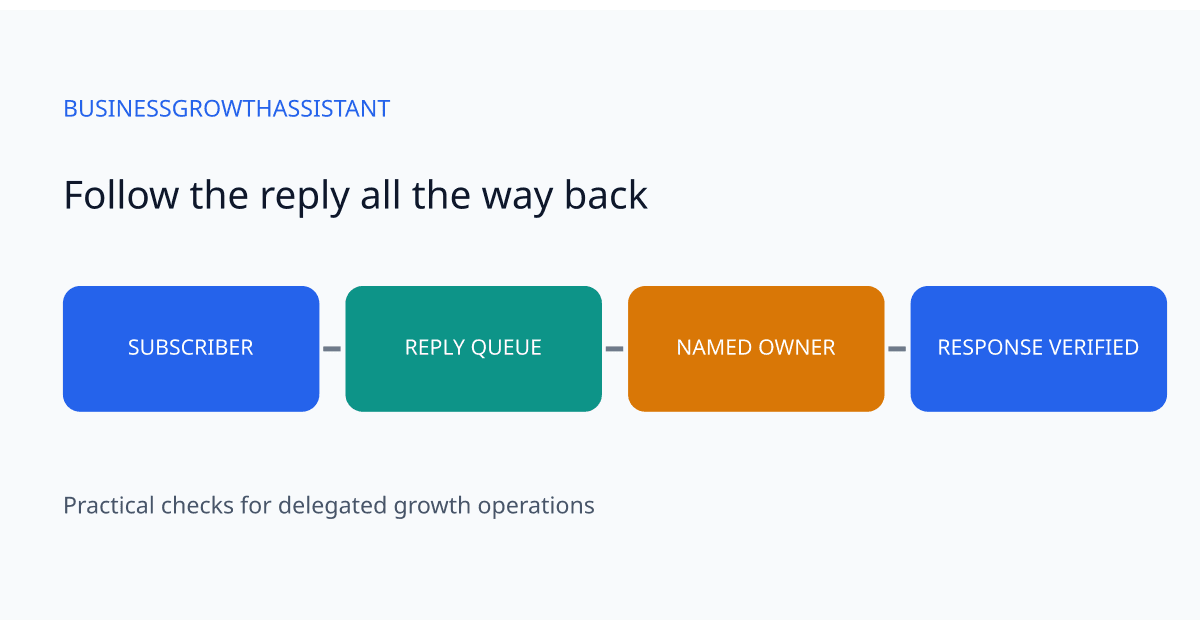
A subscriber replies to a campaign with a buying question. The email reaches an inbox, but nobody on the campaign team knows which inbox it is. The send report looks healthy because delivery and clicks are being tracked. Meanwhile, the conversation that could have followed the campaign is waiting in an unattended queue.
Reply handling belongs in campaign preparation. It is a different test from checking the subject line, the landing page, or the unsubscribe link. A virtual assistant can verify the route and organize the queue, while a named campaign owner decides how commercial questions and sensitive requests should be answered. The procedure below is an operating recommendation for a small team, not a claim that any particular platform configuration guarantees delivery.
Draw the actual path of a reply
Begin with the specific campaign, audience, and sending configuration. Record the visible sender address and the reply destination separately. They may differ. Then trace any forwarding rule, shared mailbox, or campaign-platform inbox between that destination and the person expected to respond.
Mailchimp documents an Inbox feature that can collect replies and uses a generated reply-to address for its routing. It also describes separate inboxes for separate audiences. Those facts make a practical check necessary: seeing a recognizable sender name does not prove that a reply will arrive in the team's usual mailbox. Confirm the audience and campaign settings in the account you actually use.
The working record can be short: campaign name, audience, reply route, queue owner, backup, and test time. Do not copy subscriber messages into a general planning document. The record needs to identify the route and responsibilities; the message itself should remain in the authorized support or campaign tool.
Test from the recipient's side
Use a controlled recipient account that is allowed to receive the test. Open the delivered email and reply naturally, as a subscriber would. Give the message a harmless unique phrase so it is easy to locate. Check that the reply appears in the intended queue, with enough campaign context for the responder to understand it.
A test email mode may not follow every rule of a real campaign. Mailchimp's collaboration guidance describes particular behavior for replies to test emails. Treat a successful test-mode reply as evidence of that route only. If the platform supports a small approved internal campaign with the production settings, use it to verify the actual campaign path before a large send. Keep the internal audience separate from customers and obtain normal campaign approval for any send.
Check the message as the assigned responder, not only as an administrator. An administrator may see a queue that the assistant cannot access. The relevant test is whether the person on duty can open the conversation, identify its campaign, and perform the actions allowed by their role.
Verify the return journey
Receiving a reply is only half the conversation. From the intended responder account, send a short response to the controlled recipient. Confirm that it arrives and that the recipient can reply again without starting a disconnected thread or reaching a different unattended address.
Look at the address and display name visible to the recipient. If the response unexpectedly comes from an individual's personal mailbox, pause and ask the owner to confirm the desired identity. Do not fix this by sharing a colleague's password or granting broad account access. Use the organization's existing mailbox permissions and approved sender configuration.
Record a simple outcome: first reply received, authorized responder could open it, response delivered, second reply returned to the same working queue. If a step fails, identify that step precisely. A vague statement that email is broken makes it harder to distinguish a routing problem from an access problem or a delayed notification.
Decide who handles each kind of message
A campaign reply can contain a sales question, a service request, an address correction, an unsubscribe request, or an automatic absence message. Give the assistant a small routing guide with a destination for each category. The guide should describe observable features, such as a request for an appointment or a statement that the contact has left the company.
Avoid treating every non-negative reply as sales interest. An automatic vacation response is not a buying signal. A request to stop messages should go through the team's approved preference process, even if it arrives in an unexpected mailbox. Where the assistant is uncertain, preserve the original conversation and route it to the owner rather than inventing an interpretation.
Set a response expectation that the team can actually meet. For example, a business might choose to review campaign replies twice each working day. That is a hypothetical operating choice, not a universal service standard. The owner should account for campaign timing, staff availability, and the importance of the offer when choosing the interval.
Plan for the first owner being absent
Before the campaign goes out, have the backup open the same queue and locate the test conversation. Confirm who takes over when the primary owner is away and how that change is recorded. A backup name in a spreadsheet is not useful if that person cannot see the messages.
Decide how to avoid two people answering the same subscriber. A shared assignment field, conversation status, or another existing queue feature may be enough. The assistant should claim the conversation using that mechanism before drafting a response. If the tool has no assignment feature, agree on a small explicit convention rather than relying on memory.
Notification rules deserve their own test. A reply might be visible in the platform but fail to alert anyone. The backup should know whether to rely on an alert or to check the queue at the agreed interval. Document the route that was actually observed, including any known delay, instead of assuming that a successful delivery automatically created a notification.
Keep the check proportional after launch
Once the campaign is sent, inspect the queue during the first planned review period. Look for unexpected message types, repeated forwarding loops, and conversations with no owner. Reconcile the queue with what the campaign team expects, while recognizing that a campaign can legitimately receive no replies.
Do not manufacture a response-rate target from a small internal test. Its purpose was to prove routing and access. After a real campaign, the team can measure reply volume and response handling separately from clicks and conversions. Keep those definitions explicit so a delayed internal response is not confused with weak audience interest.
Repeat the full route test when an audience, reply address, forwarding rule, platform inbox, or responder role changes. For an unchanged setup, a shorter check may be sufficient under the owner's policy. This keeps the routine useful without turning every email into an unnecessary administrative project.
A campaign administration assistant can own these checks when the business supplies the approved routing rules and response boundaries. Use the contact form to describe the campaign tools and inboxes that currently need coordination.
Sources
Mailchimp, Set Up Your Mailchimp Inbox and Collaborate on Emails, checked October 2, 2026. The testing sequence and examples are recommendations developed for delegated campaign operations.